

Your API keys
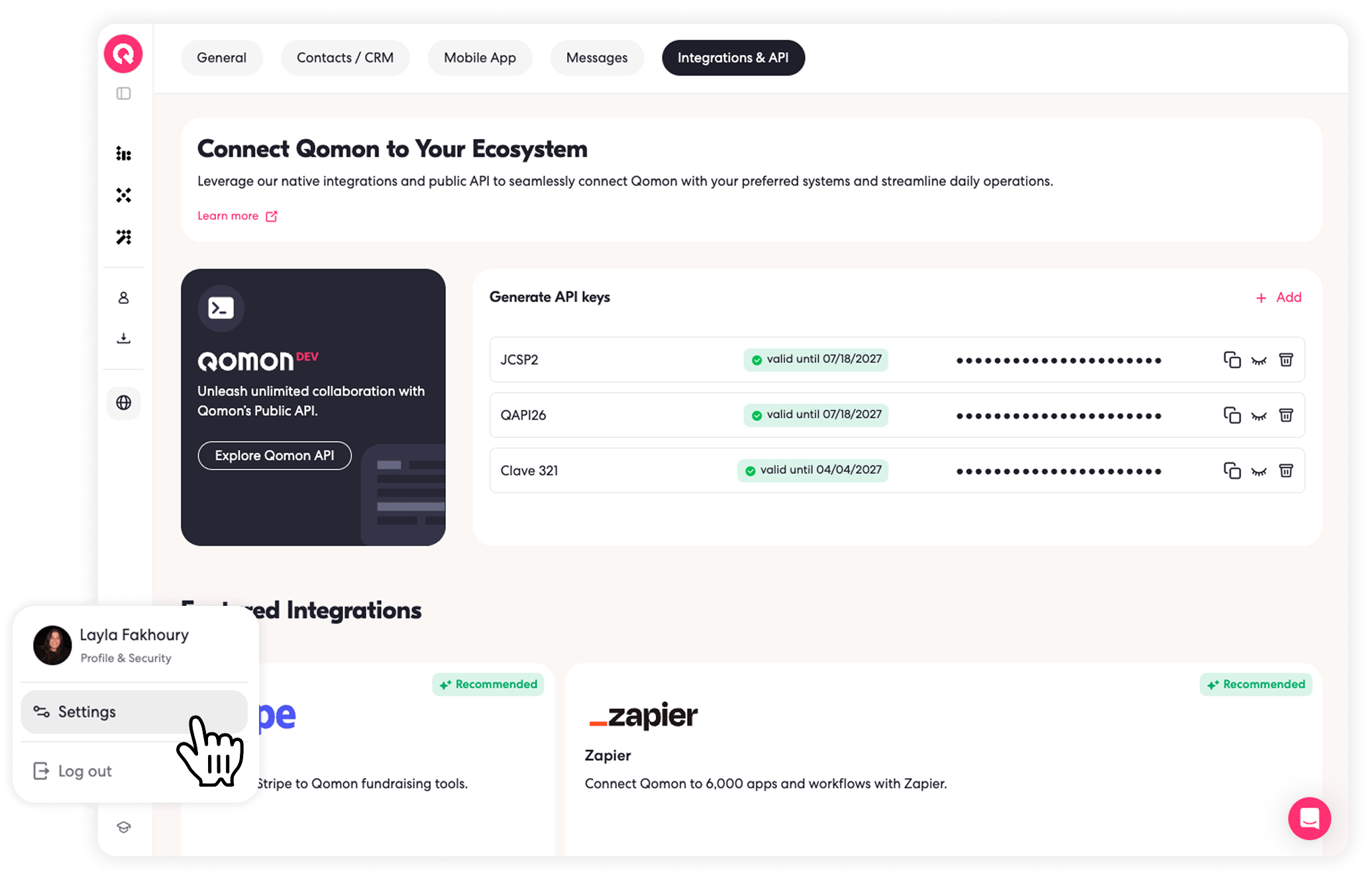
Your API key authenticates requests to the Qomon Public API. Treat it like a password and keep it private.Find your API keys
1
Head over to your Qomon account (web app)
2
Open your Qomon account in the web app
3
Go to "Settings" and then "Integrations/API" tab
4
Go to Settings > Integrations/API
Choose your API domain
Usehttps://incoming.qomon.app for API requests by default.
Only use https://incoming-us.qomon.app when your space’s API settings explicitly mention the incoming-us subdomain.
When following examples in these docs, replace only the host if your space uses the US domain. Keep the same endpoint path.
Authentication
Send your API key in theAuthorization header on every request. You can regenerate or delete keys when you need to rotate access. For security measures, keys can be regenerated or deleted as needed.
Request headers
Use the bearer token format:Authorization: Bearer 7ZOrUe4ZTmy-Rzjn-CjJ1Q